Pentel Brushes for Procreate: Authentic Calligraphy in Your Digital Toolkit
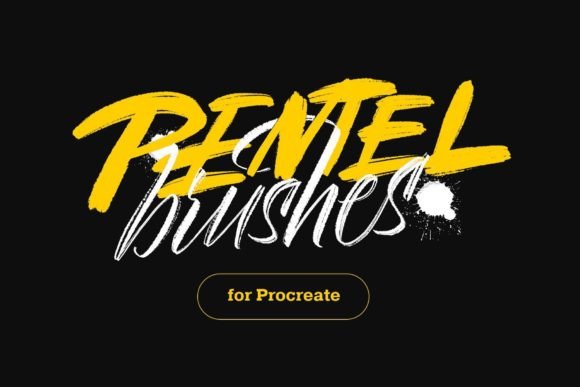
Finding a digital brush that truly captures the feeling of a real ink pen on paper is a challenge many creatives face. We spend hours tweaking settings, trying to get that perfect balance of texture, pressure sensitivity, and line variation. This is where the Pentel Brushes for Procreate collection stands out. It’s not just another set of digital tools; it’s a carefully crafted emulation of classic Pentel brush pens, designed to bring an authentic, hand-lettered quality to your iPad artwork. The collection includes 12 imitation brushes, from the fluid Color Brush to the precise Sign Pen, each with textures made as close to real pointed brush calligraphy as possible.
The Soul of the Stroke: What Makes These Brushes Different
The personality of these brushes is rooted in their responsiveness. Unlike a static vector line, a stroke made with the Pentel Brushes for Procreate reacts to the speed, angle, and pressure of your Apple Pencil. This creates a dynamic, organic quality that’s hard to replicate with standard Procreate brushes. The texture isn’t just a surface overlay; it’s integrated into the stroke’s edge, mimicking the way real ink bleeds and feathers on different paper types. This gives your lettering and illustrations a lived-in, tactile feel that adds depth and character.
For designers and brand strategists, this quality is invaluable. It allows you to inject a human touch into digital projects, which can be a powerful differentiator in a market saturated with clean, sterile graphics. The visual style is versatile—it can feel playful and whimsical for a children’s brand, or sophisticated and artistic for a luxury label. The overall appeal lies in its ability to bridge the gap between traditional artistry and modern digital workflow, making it a premium font alternative for anyone seeking authenticity.
Where Authenticity Meets Application: Ideal Projects and Uses
Understanding where these brushes shine is key to leveraging their full potential. Their strength is in projects that benefit from a personal, crafted aesthetic.
- Logo Design & Brand Identity: A logo created with a brush script font like those in this set can convey tradition, craftsmanship, and approachability. Think artisan bakeries, boutique studios, or personal coaching brands. The subtle imperfections in the stroke build instant brand recognition and a memorable personality.
- Editorial & Packaging Design: For magazine headlines, chapter titles, or product packaging, these brushes add a layer of visual hierarchy that draws the eye. A bold Color Brush stroke can serve as a powerful display font element, while the finer Sign Pen is excellent for elegant subtitles or short descriptive text.
- Social Media Graphics & Web Design: In the fast-scrolling world of social media, authenticity grabs attention. Use the brushes for quote graphics, story highlights, or website hero sections to create a cohesive, engaging visual language that feels less corporate and more conversational.
- Creative Projects & Personal Use: Beyond commercial work, these brushes are perfect for digital journaling, creating custom wedding invitations, or adding hand-lettered notes to digital planners. They offer the joy of calligraphy without the ink spills and paper waste.
The key is to match the brush’s personality to your project’s voice. A rugged, textured brush might suit an outdoor adventure brand, while a smooth, flowing script could elevate a high-end wedding invitation suite.
Practical Guidance: Choosing, Pairing, and Using Pentel Brushes
Integrating a new design asset into your workflow requires a thoughtful approach. Here’s how to get the most out of the Pentel Brushes for Procreate collection.
Evaluating Fit and Font Pairing
Before committing, ask: Does this brush’s energy align with my brand or project’s core message? A Pentel Brush style is inherently expressive. It works best when paired with a simple, clean companion typeface. For example, pair a bold brush script with a neutral sans serif font for body text. This creates a clear visual hierarchy—the brush draws attention for key messages, while the sans serif ensures readability for longer passages. Avoid pairing it with other ornate or highly stylized fonts, as this can create visual clutter.
Testing and Streamline Adjustments
One of the most powerful features in Procreate is the streamline setting. If you want to achieve more freedom for your lines with any of the Pentel brushes, just reduce the "streamline" value to the minimum. A high streamline setting smooths your strokes, which is great for precise letterforms. A low setting allows for more raw, wobbly, and energetic lines—perfect for expressive sketching or loose calligraphy. Test each brush at different streamline levels to find the sweet spot for your hand and your project.
Considering Readability and Licensing
When using any creative font or brush for text, readability is paramount. These brushes are primarily display fonts—meant for headlines, logos, and short phrases. They are not suited for body copy. For commercial projects, always verify the licensing. Most premium brush sets, including high-quality options like these, come with a commercial license that allows use in products for sale, but it’s your responsibility to review the terms.
Ultimately, the Pentel Brushes for Procreate are more than just tools; they are a gateway to a more intuitive, expressive form of digital creation. They allow you to bring the warmth and unpredictability of traditional media into the controlled environment of Procreate, helping you craft work that feels genuinely human and deeply engaging. Whether you’re refining a brand identity or simply exploring your creative side, they offer a versatile and authentic foundation for your artistic voice.